Files Are All You Need: Towards Self-Improvement in ChatGPT
21 May 2026
TL;DR: Using Google Drive / Sharepoint as persistent file storage for ChatGPT enables new agentic capabilities that were only possible with coding agents, such as Ralph loops and self-improvement.
Table of Contents
Compared to its first release, today’s ChatGPT1 is much more agentic, capable of managing your emails, calendars, the web etc.
Still, ChatGPT is not as powerful as coding agents such as Claude Code. A key difference is that the latter has access to a terminal, enabling it to read/write to a file system, execute code etc.
This difference is quite significant. The ability to maintain persistent context (files) across conversations allows coding agents to e.g. maintain long-term memory/knowledge, work repeatedly towards a goal (e.g. Ralph loops, auto-research), and adapt/evolve itself (e.g. self-improvement).
Files are all you need
ChatGPT supports connecting to persistent file storage such as GDrive / SharePoint through MCP (not sure when this support was added. must have been ~1-2 year ago, which in LLM world is roughly equal to an eon).
I assume the intention was to make it easy for users to e.g. chat about/update GDrive files. But when used as a persistent file system, this integration makes ChatGPT quite a bit more powerful. ChatGPT can now use Google Docs to store context across sessions, and actively maintain/evolve this context.
Evolvable long-term memory2 and knowledge bases are immediately made possible, without needing extra plugins/integrations. Ralph loops/self-improvements are also possible now, by creating recurring ChatGPT tasks that use Google Doc files as persistent context.
Ok, big deal. Coding agents can already do this.
Correct, but chat apps have MUCH higher distribution: ~700M weekly active users for ChatGPT vs. ~4M for Codex3. This means it is possible to build much more capable agents using AI chat apps that are already widely distributed.
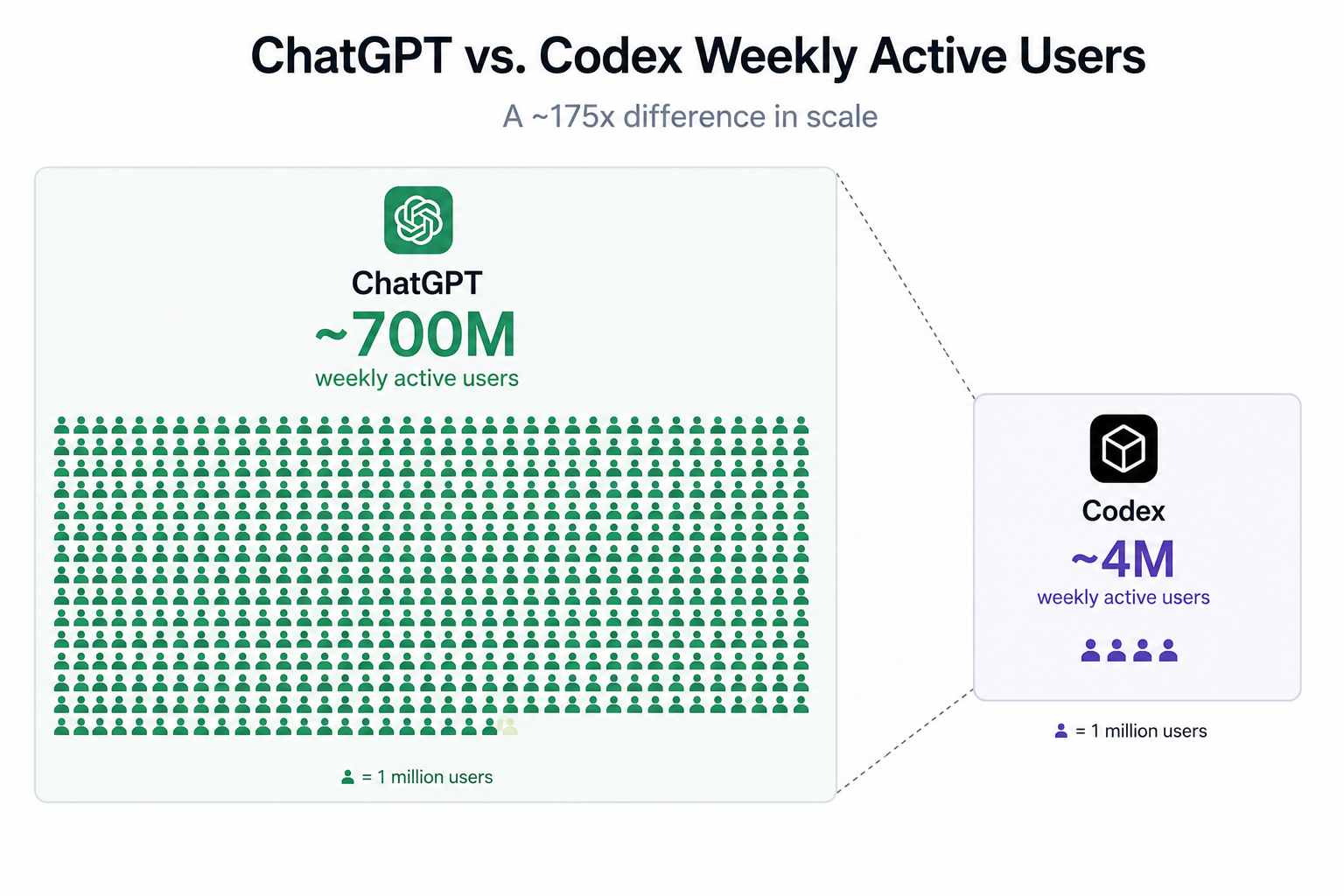
ChatGPT generated this. I didn’t actually count the number of green little persons. Gemini said its 700.
Example: Daily brief agent
Simple use case: every morning, ChatGPT should give me a summary of meetings today and how I should prepare for each.
A typical design would use a pre-configured prompt, e.g. “every morning, review my calendar events today. summarize them…” The problem is that people can have widely different preferences. For this agent to be useful, I probably need to edit its prompt to include my preferences. Ain’t nobody got time for that.
With Google Docs, we can make this “preference-learning” process much smoother. In its simplest form, we instruct the ChatGPT agent to maintain my preferences in a “daily_brief_agent_memory” Doc file on my Google Drive.
Here is the procedure:
- I ask ChatGPT to first interview me to learn my preferences. Record them in the memory file.
- Then, create a recurring task that runs daily at e.g. 8am.
- In the prompt of this task, include
first read daily_brief_agent_memory file in google drive to get context on my preferences. Then, generate my brief. Finally, ask me for feedback on how to make the brief better. Save my preferences in daily_brief_agent_memory - Every morning, the task runs. ChatGPT reads the memory file, my calendar, and generates the brief. I give it feedback. The feedback is recorded persistently in the memory file. Future runs of this task will now apply this preference.
The execute-feedback-learn cycle is complete. No prompt edits. Keep using the agent and the experience becomes smoother.
For detailed prompts/setup steps for such an agent, see https://pocketlogic.io/dashboard/automation-library/daily-brief-starter.
“But this is not self-improvement”
The building blocks are there. Schedule recurring ChatGPT tasks to work towards a task / optimize a metric, while updating the persistent GDrive context. Thats a Ralph/self-improvement loop, just not for coding, which would require an execution environment such as a terminal4. But not all useful tasks require coding.
Footnotes
-
Using ChatGPT as an example to represent similar chat apps, e.g. Claude, Copilot, Gemini. Not endorsing any specific one. ↩
-
This is different from e.g. native ChatGPT memory, which we cannot control. This is “custom long term memory” where we can control how ChatGPT manages it.), ↩
-
Sauce: ChatGPT ofc https://chatgpt.com/share/6a0f9353-c640-8329-ae1d-3b93284b7486 ↩
-
This is possible if one exposes a terminal via e.g. MCP. But at that point we are just recreating Claude Code. ↩